|  Multi-Language Support in TRichView Multi-Language Support in TRichView | |
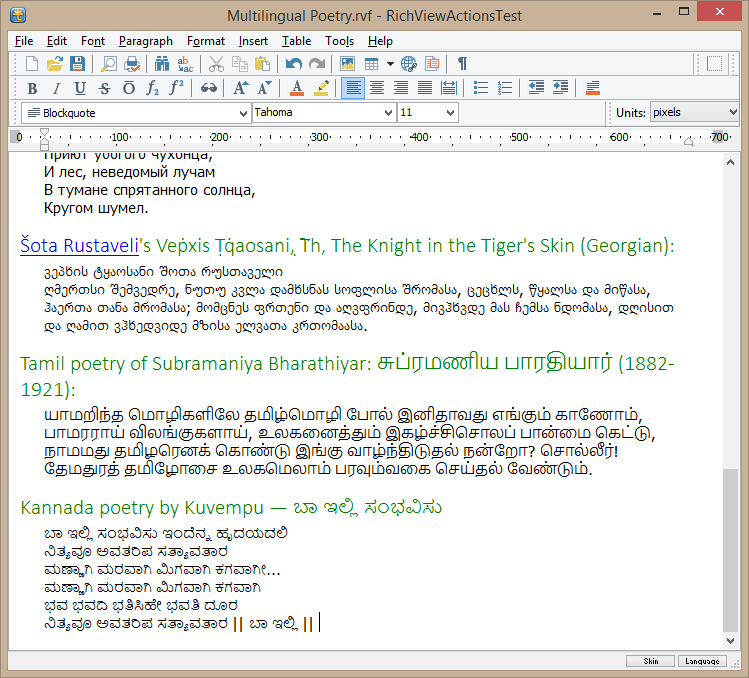
Unicode
All text in TRichView is stored as Unicode.
Unicode is a modern worldwide character-encoding standard allowing to represent all the characters used in modern computing, including technical symbols and special characters used in publishing.
TRichView uses UTF-16 Unicode encoding, all characters are represented by one or two 16-bit code values.
TRichView can load, save, copy and paste Unicode text files, import Unicode text from RTF, DocX, Markdown and export it to RTF, DocX, Markdown, and HTML.
Bi-Directional Text (Arabic, Hebrew)
TRichView supports the Middle East languages where text is laid out in right-to-left reading order, as opposed to the default left-to-right order.
TRichView also supports contextual shaping* and combining characters**, common for Arabic.
In TRichView, you can specify left-to-right or right-to-left mode for the whole document, the paragraph, or the separate text fragment (document item).
* Contextual shaping occurs when a script's characters change shape depending on the characters that surround them.
** Combining characters or ligatures are characters that join into one character when placed together.
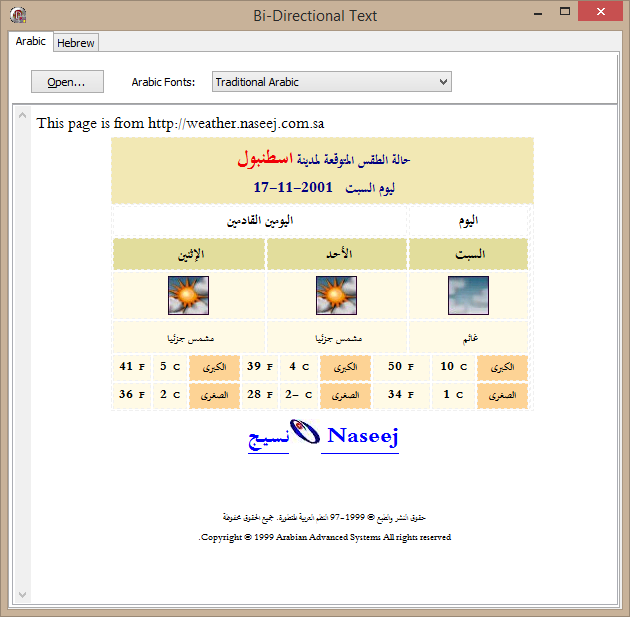
See the demo of bi-directional text:
Demos\*\Assorted\International\RTL\
TRichView can use Uniscribe to render bidirected text.
Support for bi-directional text is not turned on by default. In order to turn it on, change value of BiDiMode property of TRichView to rvbdLeftToRight or rvbdRightToLeft.
RichViewActions have commands for applying right-to-left and left-to-right text direction to the selected paragraphs and text.
Vertical Text
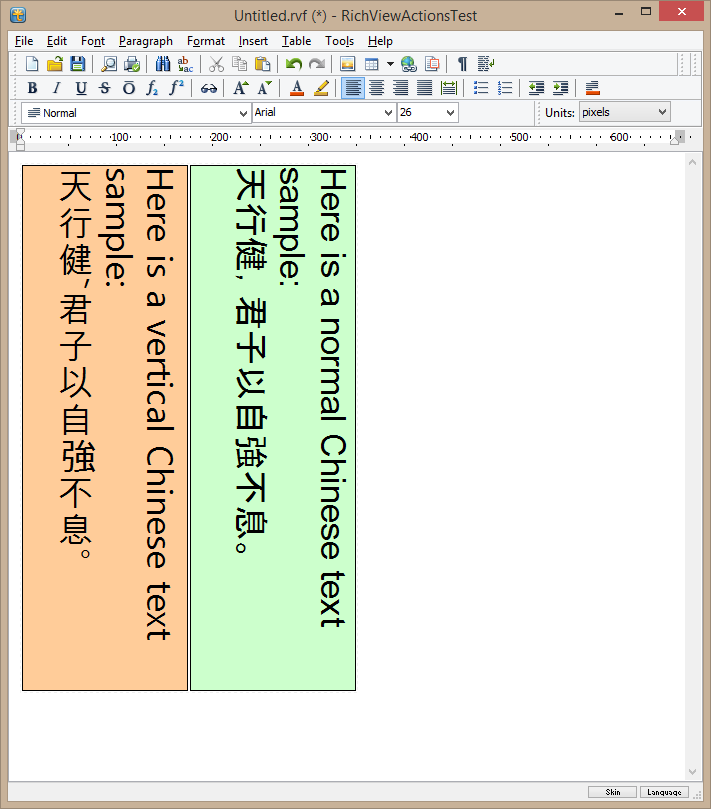
Traditionally, many East Asian scripts are written vertically, from top to bottom. In TRichView, you can rotate text by 90° clockwise to provide a top-to-bottom text flow.
Support for Chinese, Japanese, Korean (text flow: top to bottom, columns are arranged from right to left)
To keep character orientation, one can use vertical fonts (containing characters rotated by 90° counterclockwise). Windows includes several vertical fonts having names prefixed with “@”, for example “@Arial Unicode MS”, “@Batang”, etc. In TRichView, table cells have an option to apply such fonts automatically to text rotated vertically.
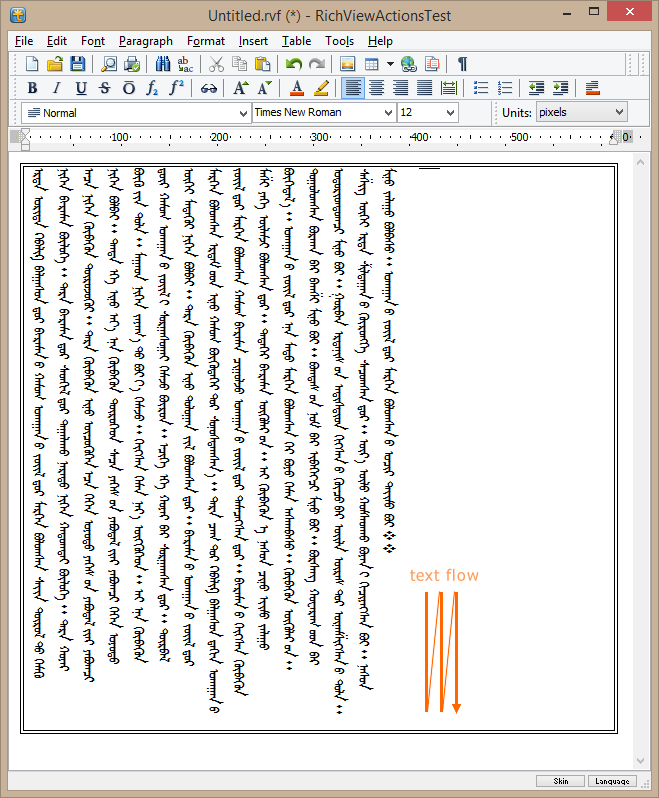
Support for traditional Mongolian (text flow: top to bottom, columns are arranged from left to right)
In TRichView, table cells have an option to reverse a line order. For vertical text, it means reversing a column order. For example, for text rotated by 90° clockwise, this options arranges columns from left to right.
RichViewActions have commands for rotating text in table cells, applying vertical fonts and reversing order of lines/columns. They can be found in “Table | Cell Rotation” menu of the ActionTest demo.
|