TRichView.com
HomeFeaturesHistoryDownloadsOrderResourcesApplicationsSupportContacts

List of Features
TRichView
Formatting
Images
Delphi Sub-Controls
Tables
Bullets & Numbering
Styles
Multi-Language
Hypertext
Import and Export, DB
Editing
Printing
Spell-Checking
ScaleRichView
WYSIWYG Editing
Printing Posters
Delphi Sub-Controls
Features

TRichView Components

What is TRichView

RichView is a suite of native Delphi/C++Builder components (VCL) for displaying, editing and printing hypertext documents.

TRichView

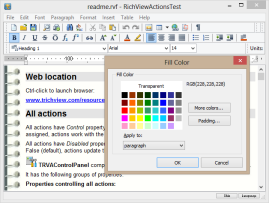
Components support various character attributes (fonts, subscripts/superscripts, colored text background, custom drawn). Documents can contain tables, pictures, images from imagelists, any Delphi controls. Left, right, center or justify paragraph allignment, custom margins and indents, multilevel bullets and numbering, Unicode, background images, print preview, HTML export, RTF export and import, data-aware versions and more...

RichView Package is completely written in Delphi, and does not use external DLL or ActiveX files. It is not based on Microsoft RichEdit control. Registered version of the Package includes full source code.

Print Preview

List of Features

Click the links below to read detailed information.

Components in the Package

TRichView — component for displaying hypertext
TRichViewEdit — component for editing hypertext
TRVStyle — collection of [DB]RichView[Edit]s' text and paragraph styles, etc.
TRVPrint — component for printing [DB]RichView[Edit]s
TRVPrintPreview — component for print preview of [DB]RichView[Edit]s
TDBRichView — data-aware version of TRichView
TDBRichViewEdit — data-aware version of TRichViewEdit
TRVOfficeConverter allows using text import and export converters from Microsoft® Office
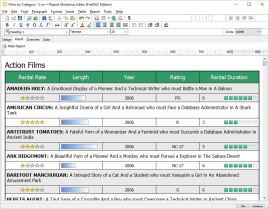
TRVReportHelper allows drawing RichView documents onto the specified Canvases

Online Manual

Online manual is available


ScaleRichView Package

What is ScaleRichView

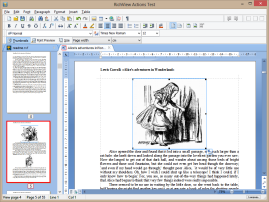
ScaleRichView is a set of VCL components for WYSIWYG editing (“What You See Is What You Get”), created basing on TRichView and RichViewActions. ScaleRichView uses TRichView engine for document rendering, but it repaginates, scales and draws pages in its own way.

Document in ScaleRichView is accessible via hidden (or external) TRichViewEdit component, so you can use the same methods for document generation and editing as you use in TRichView.

ScaleRichView is an addon to TRichView. In order to install ScaleRichView package, you need to install packages of TRichView and RichViewActions before. You can order ScaleRichView as a bundle “TRichView+ScaleRichView”, or later, after ordering TRichView.

The main features of ScaleRichView are:

  • support for almost all TRichView features;
  • WYSIWYG editing mode;
  • scaling;
  • real-time repagination;
  • support for more than 120 standard paper formats: ISO (Europe), ANSI (USA), JIS (Japan), etc.;
  • ability to display and print in different formats (for example, document can be edited as A5 but printed as A3);
  • custom page positioning;
  • multiple layout modes (Web mode, Normal Layout, Page Layout and more);
  • tooltip on scrolling, showing page number and text;
  • vertical and horizontal graphic menus (toolbars) in scrollbar area;
  • complete support of RichViewActions;
  • controls in documents, both standard and special for ScaleRichView.

List of Features

Click the links below to read detailed information.

Scheme of ScaleRichView components

Components in the Package

TSRichViewEdit — text processor for WYSIWYG editing, with scaling and multiple layouts (including page view mode).
TSclRVRuler — ruler, an analog of TRVRuler from RichViewActions, but working with TSRichViewEdit.
TSRVPageScroll shows all pages as thumbnails.
TSRVToolBar — toolbar for insertion in scrollbar area of TSRichViewEdit.
TSRVToolWindow shows toolbar in popup window.
TSRVPrint prints documents of TSRichViewEdit as posters.
TSRVPreview shows posters printed by TSRVPrint.

Download trial versions, documentation, demos