|  Text and Paragraph Styles in TRichView Text and Paragraph Styles in TRichView | |
Styles allow separating formatting from content, so you can give different look to your documents by applying another set of styles.
There are three main modes for defining text and paragraph attributes in TRichView.
1. Restricted text and paragraph formatting

Multidemo: customizing a predefined set of text styles
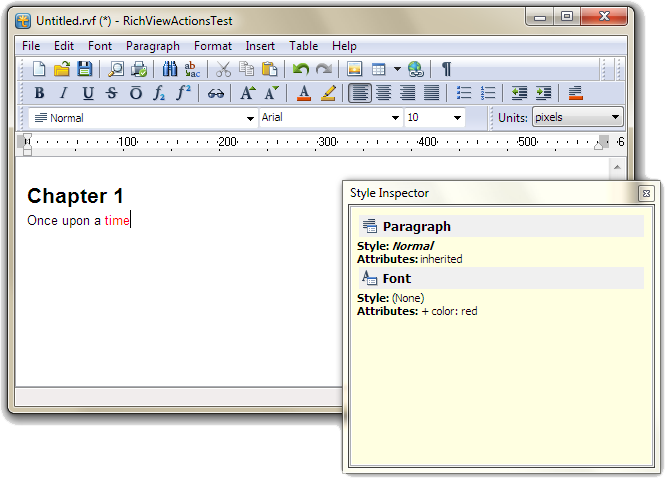
Style Inspector in RichViewActions uses a predefined set of text and paragraph styles
In this mode, you can define some set of text and paragraph attributes (in TextStyles and ParaStyles properties of TRVStyle component),
and this set is not changed while the application works.
Each item in TextStyles and ParaStyles has its own name and a special meaning.
When you need to import DocX, RTF or RVF file, text and paragraph attributes in this file are mapped to the most similar existing text and paragraph attributes.
You can change properties of TextStyles and ParaStyles, and documents receive new look (see MultiDemo demo).
This mode is useful:
- when TRichView is used as a control in user interface (for example, Style Inspector in RichViewActions);
- when creating multiple documents with restricted formatting (for example, dictionary or encyclopedia articles).
2. Free text and paragraph formatting
In this mode, you can have some initial set of items in TextStyles and ParaStyles; but most of items are added while the application works.
For example, new items may be added when inserting DocX, RVF or RTF files/streams, or when applying changes to the selection (such as “make bold” or “align to center”).
Items of TextStyles and ParaStyles work like direct text/paragraph attributes rather than styles: most of them do not have a special unique name or meaning.
A subset of items can be marked as “standard styles” and processed like in the first mode.
However, this is not a complete solution for styles, because all other items are completely independent of them:
if you change properties of standard styles, only fragments formatted using them are changed;
all other parts of the document are unstyled.
3. Free formatting and “real styles” (style templates)
“Style templates” do not define text and paragraph properties directly.
Instead, they provide a mechanism for modifying TextStyles and ParaStyles.
“Style templates” are direct analogs of named styles that can be found in word processing applications (such as Microsoft Word).
Each “style template” may have properties of both text and paragraph. Unlike items of TextStyles or ParaStyles, a “style template”:
- may define only a subset of text and paragraph properties;
- may inherit text and paragraph properties from a parent “style template”.
“ActionTest” demo changes the appearance of “readme.rvf” document by importing style templates:
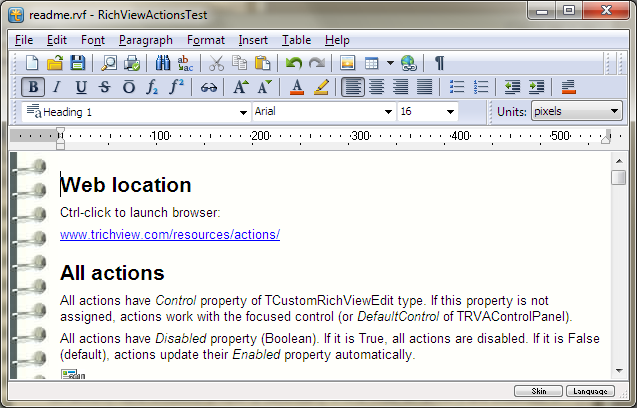
“Simple.rvst”
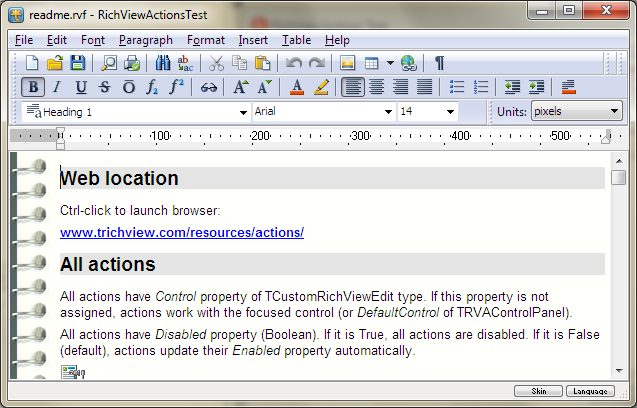
“Original.rvst”

“Tradition.rvst”

“Fancy.rvst”
You can apply a new set of “style templates” to existing documents to change their appearance. “Style templates” are supported by RichViewActions.
They provide a dialog for a style management (adding, deleting, editing styles) and a combo box for applying styles to the selection.
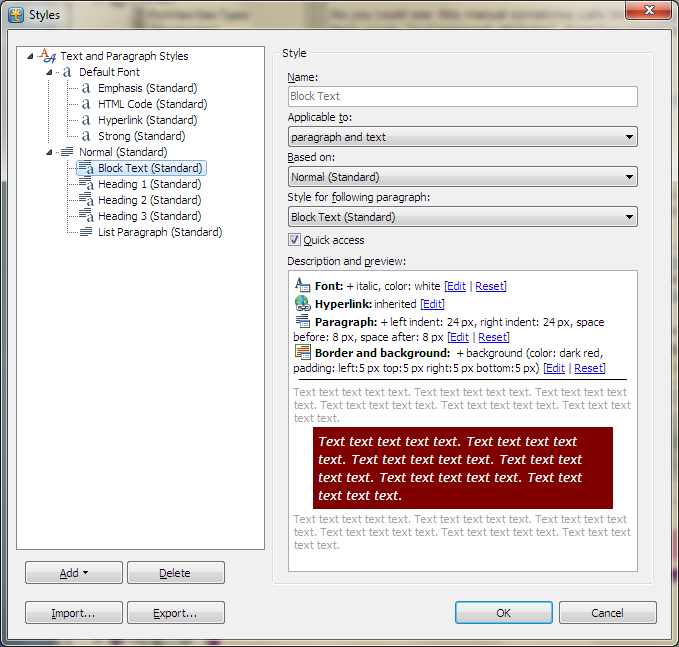
Style management dialog in RichViewActions
Additional information:
|